# HTML+CSS实现打字机效果

> HTML+CSS实现打字机效果

- 发布于：2020-11-21
- 更新于：2020-11-21
- 分类：学习
- 标签：前端
- 原文：https://chanx.tech/blog/typewriter-effect

看到了一些Hexo博客首页用到了打字机效果。于是思考不使用Javascript，如何实现打字机效果呢？

<!-- more -->


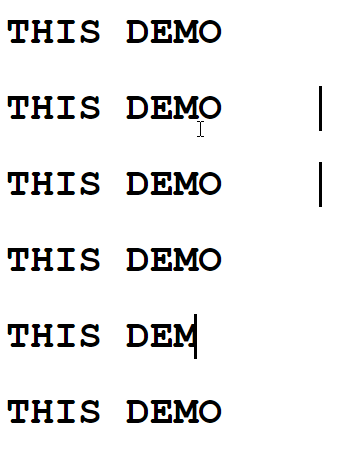
![](https://cdn.chanx.tech/image/6oau0_0.gif)

一个字总结：**丑**。

**实现：利用css中`animiation`实现关键帧组成循环动画。`width`减少模仿字体被删除；`border-right`黑白变色模仿光标闪烁**


直接上源码：

```html ，，，，， 
<!DOCTYPE html>
<html lang="en">

<head>
  <meta charset="UTF-8">
  <meta name="viewport" content="width=device-width, initial-scale=1.0">
  <title>Document</title>
  <style>
    #demo {
      white-space: nowrap;
      font-family: 'Courier New', Courier, monospace;
      width: 250px;
      font-size: 2em;
      font-weight: 700;
      overflow: hidden;
      animation: first 6s step-end infinite;
      display: inline-block
    }
    #key {
      margin-top: -200px;
      line-height: 50px;
      font-size: 1em;
      color: blue;
    }
    @keyframes first {
      0% {
        width: 250px;
        border-right: 3px solid black;
      }

      5% {
        width: 250px;
        border-right: 3px solid white;
      }

      10% {
        width: 250px;
        border-right: 3px solid black;
      }

      20% {
        width: 200px;
        border-right: 3px solid white;
      }

      25% {
        width: 200px;
        border-right: 3px solid black;
      }

      30% {
        width: 200px;
        border-right: 3px solid white;
      }

      40% {
        width: 150px;
        border-right: 3px solid black;
      }

      45% {
        width: 150px;
        border-right: 3px solid white;
      }

      50% {
        width: 150px;
        border-right: 3px solid black;
      }

      60% {
        width: 100px;
        border-right: 3px solid white;
      }

      80% {
        width: 50px;
        border-right: 3px solid black;
      }

      100% {
        width: 0px;
        border-right: 3px solid white;
      }
    }
  </style>
</head>

<body>
  <span id="demo">THIS DEMO</span>
</body>

</html>
```